TRACKVISYON SOFTWARE

Your head moves the view. Your hands keep control.

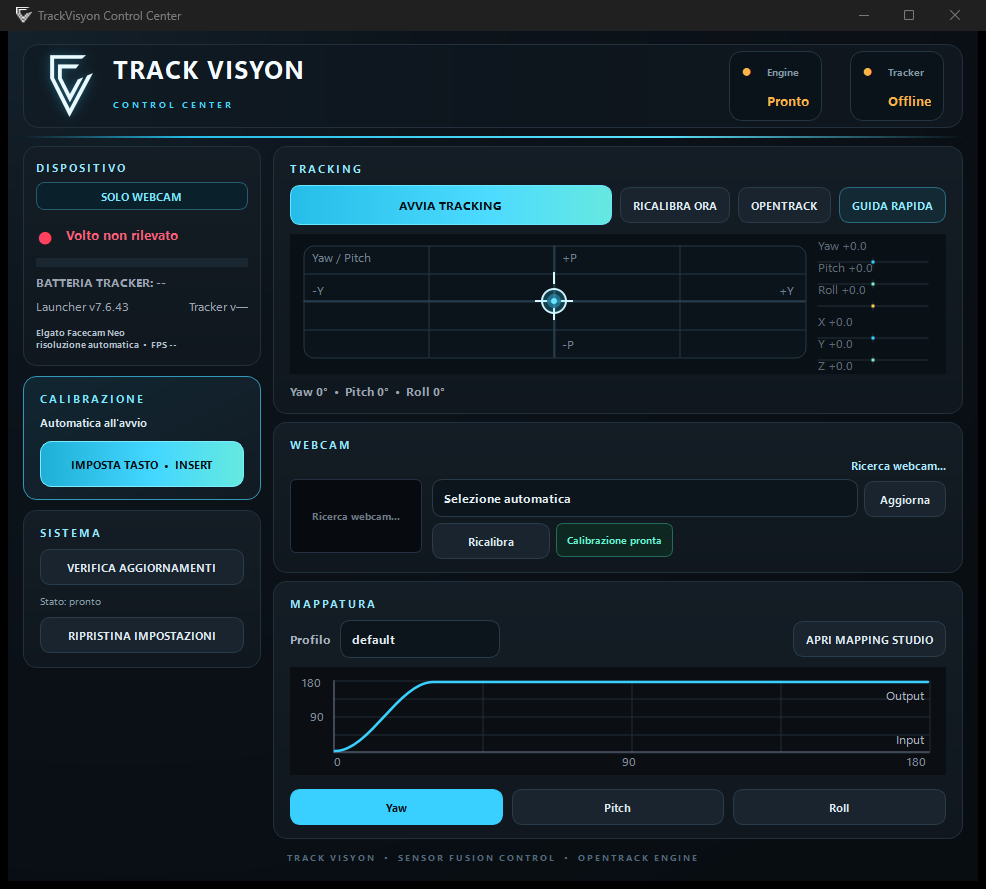
TrackVisyon is Windows software that brings head tracking to your compatible simulators. A webcam detects your head movements as you look into a corner, at the instruments or around you. Start with the included profile and customise it only if you want to.

MAPPING STUDIO · YOUR WAY TO PLAY

Ready to play. Free to make it yours.

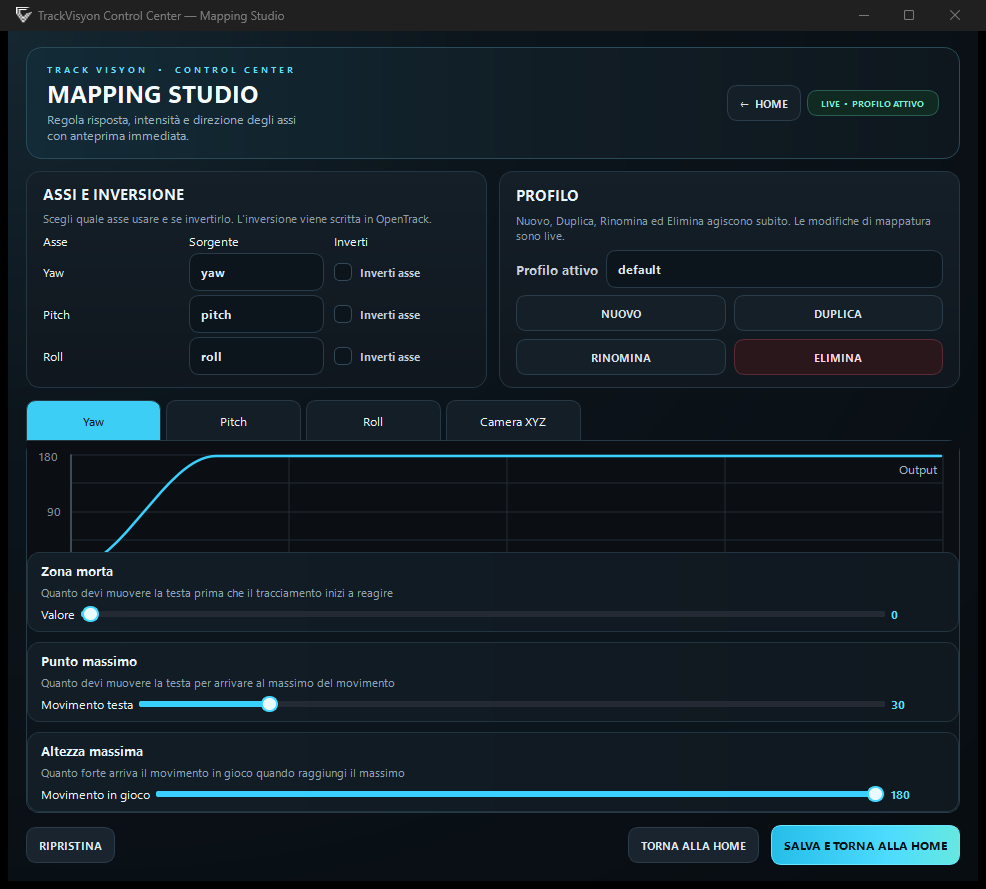
Step into your simulation with the included profile: versatile and ready for most experiences. Want a more personal feel? Mapping Studio shapes the response around your style.

Start with a profile, not a setup session.The default profile is a great starting point for flying, driving and exploring. Customisation is a choice, not a requirement.

Six movements. Your perfect balance.Adjust the curves and response of all six axes: choose how much a small movement is amplified and how larger movements develop. From gentle control to a more responsive view, tailor the profile to you.

A TIP FOR YOUR SETUP

The right webcam? Frame rate comes first.

30 fps · minimum60 fps · recommended

Start with the webcam you already own: no dedicated model is required. Choose at least 30 fps, ideally 60 fps for smoother movement. Resolution is not the priority: you do not need a 4K webcam for head tracking. Looking for a reference? Elgato Facecam Neo or a similar 60 fps webcam are options to consider, depending on your budget.

Elgato Facecam Neo specifications
GET THE MOST FROM YOUR SETUP

Small adjustments. Even more immersion.

Webcam not showing up?

Close other apps using your webcam, such as video calls, recording apps or camera previews, then select it again in TrackVisyon. This helps prevent several programs from trying to open it at the same time.

Using a virtual camera for streaming?

Keep the app that creates your virtual camera open and select that source in TrackVisyon. Close only the other apps occupying the physical webcam.

Simple lighting. Smoother movement.

Soft light on your face helps make tracking even more precise and fluid. A small, diffused light is often enough: no studio setup needed. Place it in front of you, avoiding a bright window or lamp behind you.

7 PLANNED LANGUAGES

An evolving multilingual interface

The application plans seven desktop languages introduced and verified progressively; actual availability depends on the current release.

PERFORMANCE

Lightweight while you play

TrackVisyon processes movement in real time on your PC and is designed to keep CPU usage low, so it can run in the background while you play.

What affects the load

Actual load mainly depends on your processor, webcam resolution and frame rate, as well as other open applications.

You stay in control

To reduce the load further, lower the resolution or frame rate when supported by the source, without changing the rest of your setup.

STREAMING AND RECORDING

Keep using your webcam while streaming or recording

TrackVisyon is designed to use a compatible virtual camera, allowing the physical source to remain available as a facecam in OBS and compatible software while head tracking stays active. Compatibility depends on the selected setup.

TRACKVISYON

Bring AI into the way you play

Try advanced, lightweight and affordable 6DOF head tracking on your PC. All you need is a webcam or smartphone and a compatible game.

CONFERMA OPERAZIONE

Conferma